Acta · Daily review app: Align each day with
who you want to become
Write down who you want to become, and the life you refuse to return to. Then use two or three lever actions, a few awareness check-ins and a short evening review to turn intention into evidence.
Knowing is the beginning of doing; doing is the completion of knowing.
Acta is Latin for “things done,” and the Chinese name 知行录 means “a record of knowing and doing.” Aristotle called action that is its own end praxis; Wang Yangming held that knowing and doing are one. Either way, knowing only counts once you act on it. A little evidence each day keeps your direction from staying on paper.
How it works
Four moments in a day
No long journaling. One small thing at each moment, a few minutes in total.
-
01Morning
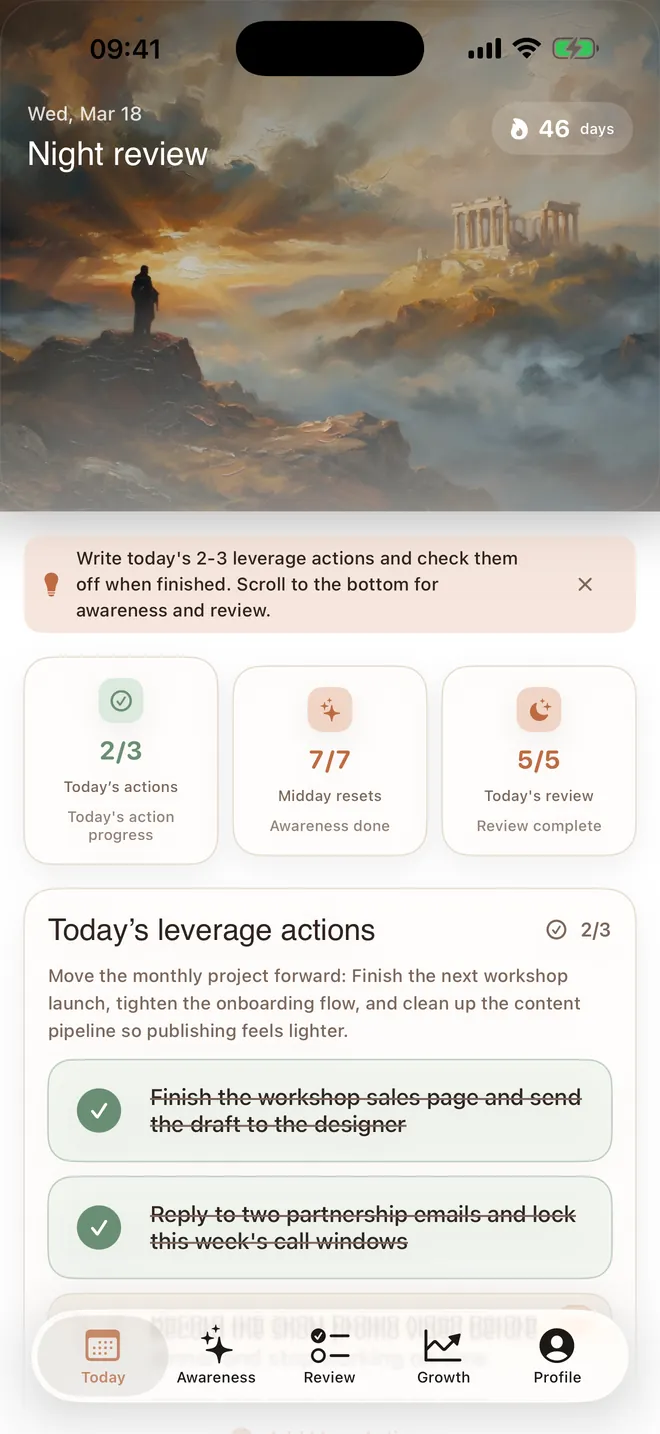
Write today’s lever actions
Pick the two or three things that will move you most today, and check them off as you go. A three-step first-day guide walks you through day one.
-
02Daytime
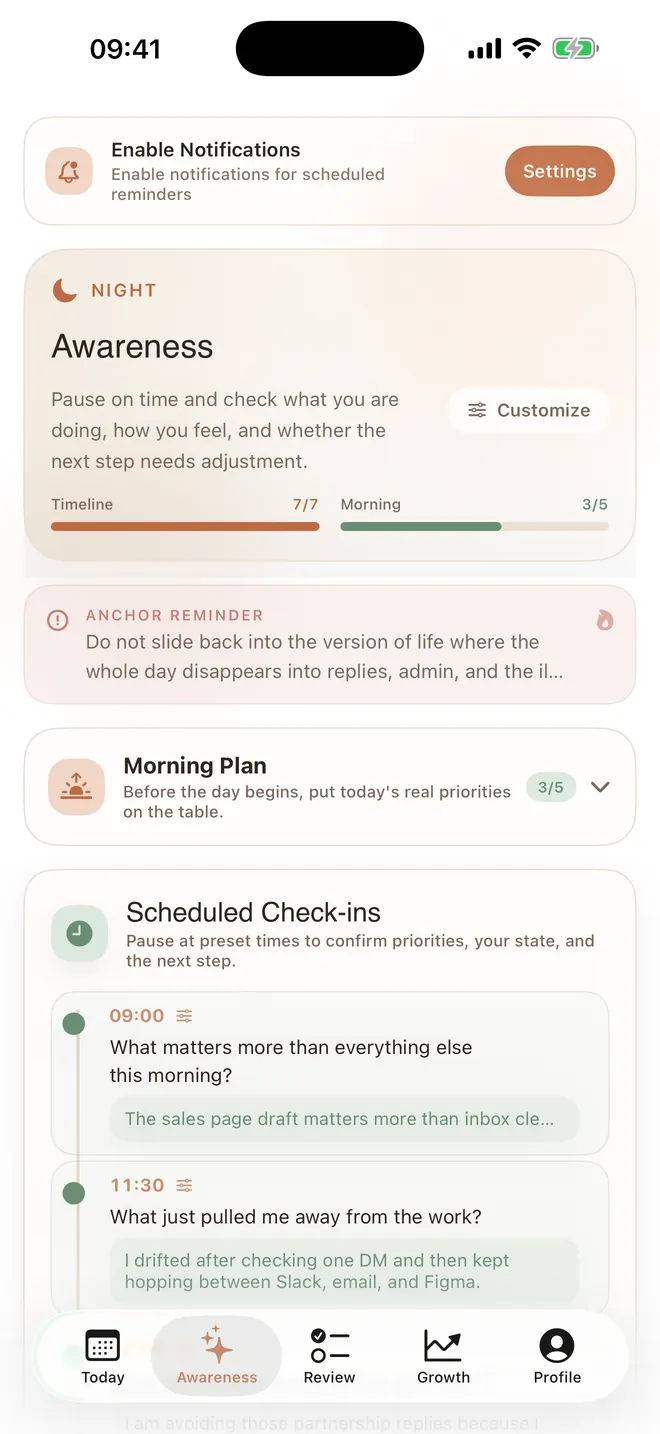
Pause at the times you choose
At each check-in, answer one simple question: is what you are doing right now what the person you want to be would do?
-
03Evening
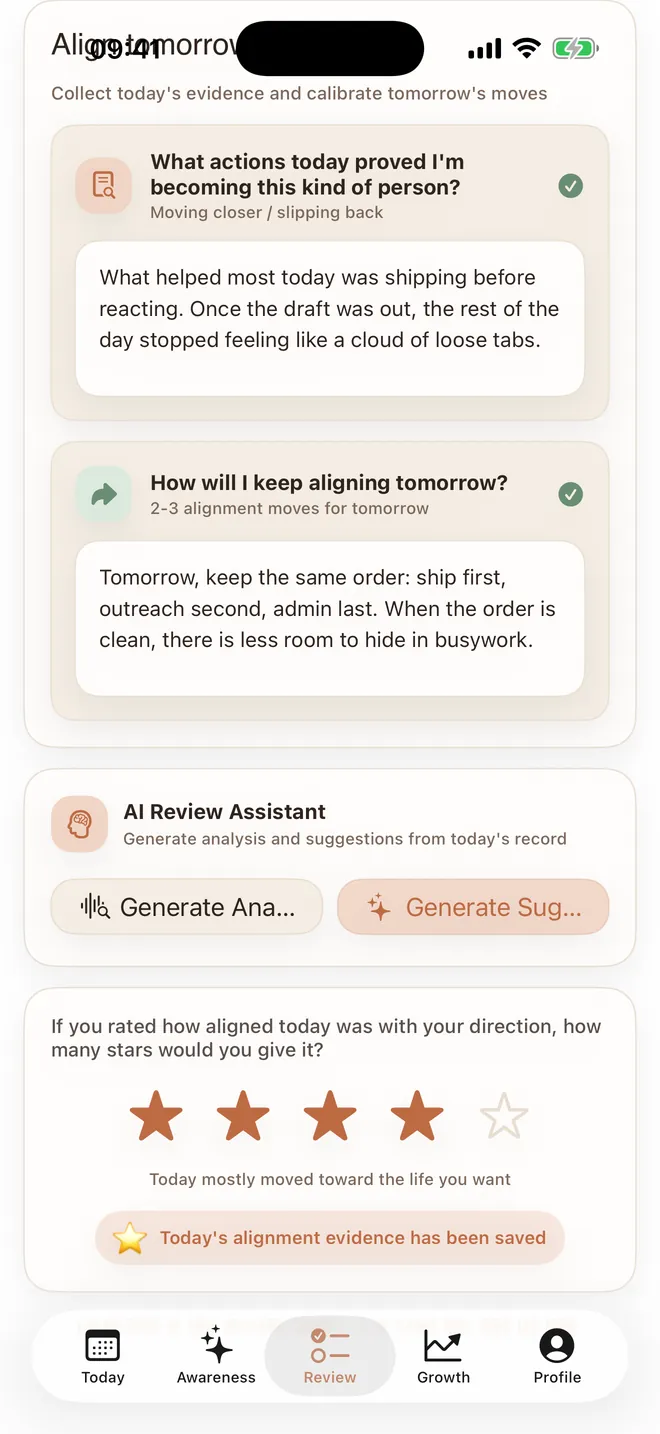
Close the day with a review
Close the day with a five-step reflection: Look back — what happened today (key facts); Examine — what I did and thought in that moment (first reaction and motive); Question — the reasons I gave myself (rationalization and self-deception); Face — I knew, so why didn’t I do it (the gap between knowing and doing); Act — what I can do next time (closing the loop). Then rate how aligned the day was, from 1 to 5 stars.
-
04Over time
See yourself change
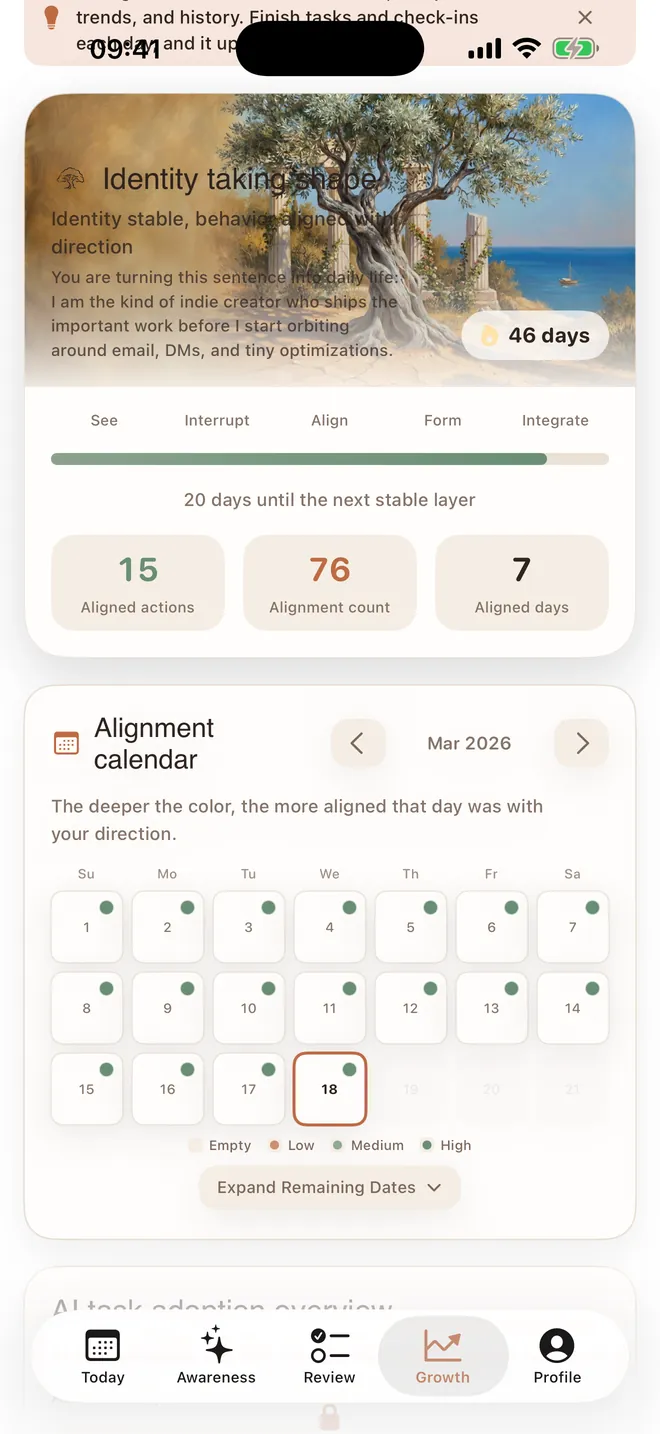
An alignment calendar records every day, and your identity “takes shape” as entries add up. Looking back, you can see what you actually did.
Always within reach
Capture it without opening the app
Acta is on your Home Screen, your wrist, your Lock Screen and inside other apps.
-
Home Screen widgets
Today’s progress, your streak, the growth calendar and awareness check-ins, plus one tap to capture a moment. Check off tasks right on the widget.
-
Apple Watch
See and complete today’s tasks on your wrist, and answer awareness check-ins. Complications show your streak and task progress.
-
Share extension
Found text or a link worth keeping in another app? Share it to Acta.
-
Awareness Lock Screen
Turn the sentences you wrote into a Lock Screen wallpaper, refreshed daily with a Shortcuts automation.
Privacy
Your records belong to you
Records stay on your device by default. They go to your own iCloud only when iCloud sync is on. Our server only checks membership and stores purchase records.
-
On your device by default
Records, reviews and your identity statement stay on your device unless you turn on sync.
-
Sync goes to your own iCloud
With iCloud sync, data lives in the private database of your own iCloud account. We cannot read it.
-
Lock it
Turn on Face ID or a passcode so only you can open the app.
-
No ads
No ad SDKs and no cross-app tracking. Anonymous usage analytics are off by default and can be turned on in Privacy Center.
Acta Pro
Start free, upgrade when you need more
Recording, awareness and review need no account. Upgrade to Pro when you want to go further.
-
iCloud sync
Syncs daily records, awareness questions and your profile across your devices.
Acta Pro is a monthly or annual auto-renewable subscription. Price and any trial are shown on the App Store payment sheet, and you can cancel anytime in Settings.
Questions
Do I need an account?
No. You can record, reflect and review right away. Sign in with Apple is optional. It is used to restore membership on a new device, and to show your name and email in the app. After you sign in, your purchases are linked to your Apple Account. If you switch phones or reinstall the app, sign in with the same Apple Account to restore your membership.
Will my records move to a new phone?
With iCloud sync (Pro), sign in to the same Apple Account on the new device. You can also export a full backup from Profile → Settings & Tools → Backup & Export.
How do I cancel a subscription?
Subscriptions are managed by Apple: open Settings → tap your Apple Account at the top → Subscriptions → Acta (知行录) → Cancel Subscription. Deleting the app does not cancel it.
Which devices are supported?
iPhone and iPad with iOS 17 or later, and Apple Watch with watchOS 10 or later.
How do I contact you?
Email support@done2ai.com.
Leave your first piece of evidence today
Write down one action you can finish today.